Baby journal
BabyBoom
Feeds, naps and diapers in one tap. See your baby's whole day on one graph, spot the patterns as they grow, and share the journal with your partner, grandparents or the nanny, live.
- ⏱Live timers
- ☁Works offline
- ✓No sign-up needed
Free, supported by ads · Premium is optional · iPhone (iOS 17+) and Android (8.0+)
Features
Less guessing, more sleep.
When was the last feed? Which side? How long did she nap? BabyBoom answers in a glance, so you can get back to the baby.
Log it in one tap
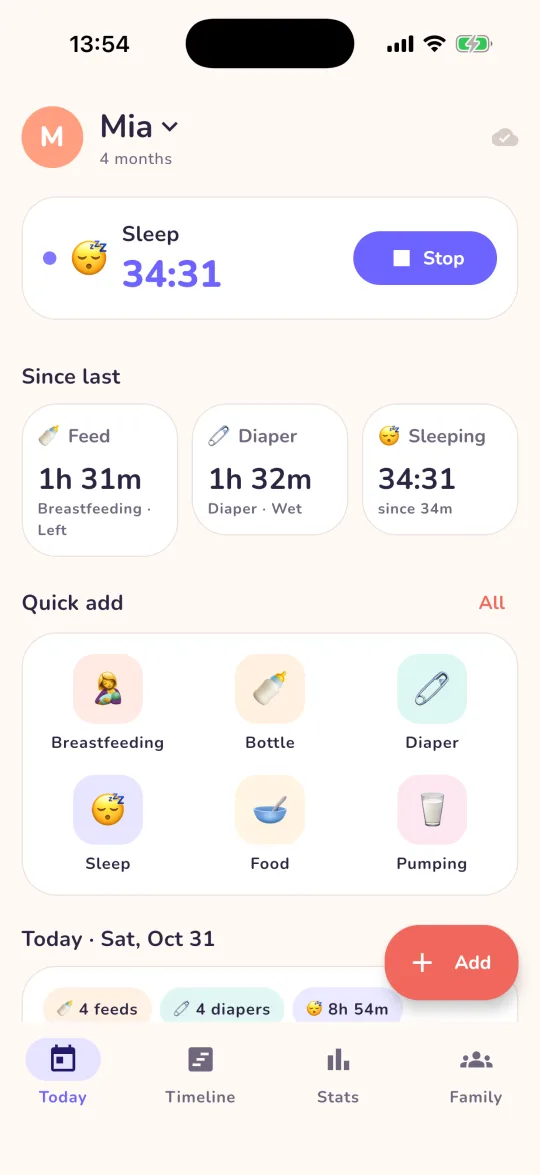
Quick add buttons for the things you log most, and live timers for sleep, breastfeeding, pumping, tummy time and play. The Today screen shows how long it has been since the last feed, diaper and nap.
Log together, in real time
Invite your partner, grandparents or the nanny with a link. Everyone sees every entry as it happens, with who logged it. No signal? Keep logging: it syncs when you're back online.
The whole day on one graph
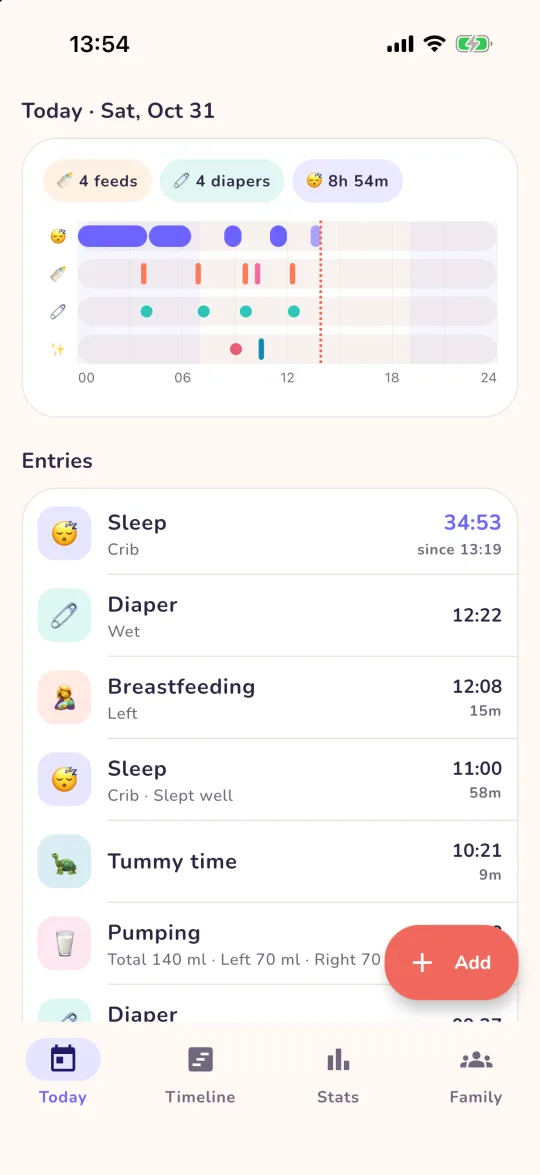
Sleep, feeds and diapers on a single 24-hour chart, with every entry listed below it. Yesterday and the days before are one scroll away.
Spot the patterns
Daily averages, night versus day sleep, feeding intervals, bottle volumes and the longest stretch of sleep, week by week.
Widgets
Start a nap or log a bottle straight from the home screen, and watch the sleep timer tick, on iPhone and Android.
Twins and siblings
Each baby gets their own color and journal. Switch between them in a tap, and keep a big brother's potty training next to the newborn's feeds.
Made for 3 a.m.
Big buttons for one-handed logging, a gentle dark mode, and ads that stay out of your way: a small banner above the tabs, and full-screen ads only after you save an entry, never on your first day and at most one every few entries.
Private by design
Start without an account. Your journal is shared only with the family members you invite, and you can delete your account and data anytime from the Family tab.
24 things to track
More than feeds and naps.
From the first bottle to the first tooth: health, growth and the moments you'll want to remember. Pick the ones you use for your quick add.
- Breastfeeding
- Bottle
- Pumping
- Food
- Drink
- Diaper
- Bathroom
- Sleep
- Temperature
- Medicine
- Vaccination
- Symptoms
- Doctor visit
- Weight
- Height
- Head size
- Tummy time
- Bath
- Play
- Outdoors
- Tooth
- Milestone
- Mood
- Note
Screens
Take a look inside.
Day or night
Gentle on tired eyes.
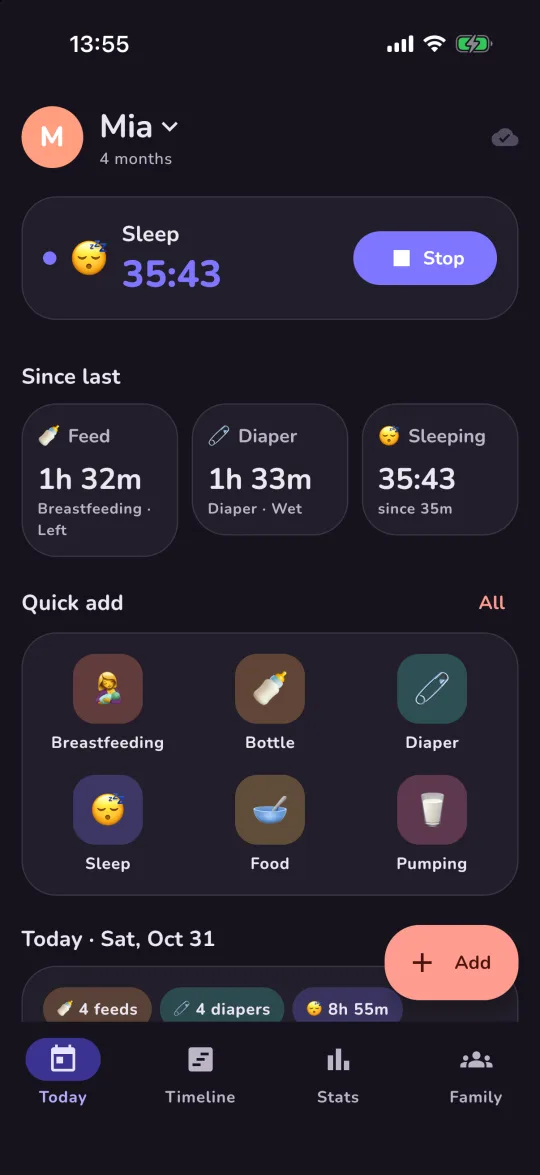
BabyBoom follows your phone's dark mode, so a night feed doesn't light up the whole room. Drag across the screen to compare.
Support
Need a hand?
Contact support
Found a bug, have an idea, or need help? Email [email protected] and include your device model and the app version (shown at the bottom of the Family tab).
Do I need an account?
No. Open the app, add your baby and start logging. Your journal is kept on your phone and backed up to BabyBoom's server under an anonymous account. Sign in with Apple or Google later, in the Family tab, to keep it when you change phones.
How do I share with my partner or family?
In the Family tab, open My family → Invite someone and send the link to one person (each link works once and expires after 7 days). When they open it, BabyBoom joins them to your family and they see every baby and entry. If they already have the app, they can also tap I have an invite code in the Family tab and type the code.
Does it work without internet?
Yes. Everything you log is saved on your phone first, and synced with your family when you're back online.
What does Premium include?
No ads, unlimited babies and family members, 30- and 90-day statistics with the sleep rhythm view, and CSV export. One subscription covers your whole family: when anyone in the family has Premium, everyone gets it.
How do I cancel or restore Premium?
Subscriptions are managed by Apple or Google: Family tab → Manage subscription takes you there. On a new phone, sign in to the same account and tap Restore purchases.
How do I delete my account and data?
Family tab → Delete account removes your account and every baby that only you can see from our server for good. Journals you share with others stay with the other members of that family. You can also ask us to delete your account at [email protected]; tell us the name on your account or the email you sign in with.
How do I change my ad privacy choices?
Family tab → Ad privacy choices (shown in the EEA, UK and Switzerland). On iPhone you can also manage tracking in iOS Settings → Privacy & Security → Tracking. Usage statistics and crash reports can be turned off in Family tab → Share usage statistics.
Is BabyBoom medical advice?
No. BabyBoom is a journal to help you keep track. It doesn't diagnose anything or replace your pediatrician; if you're worried about your baby, call your doctor.